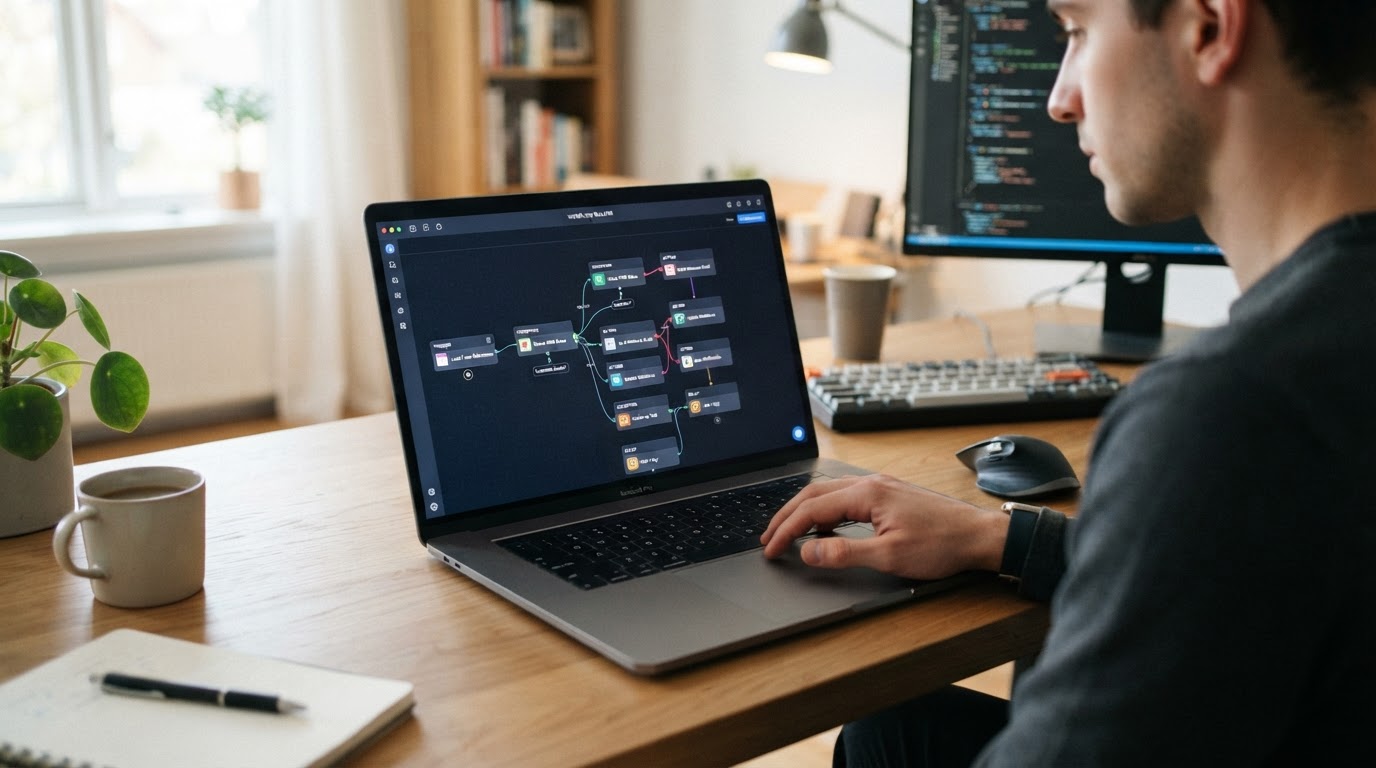
A GoHighLevel workflow virtual assistant is a remote professional who builds, monitors, and maintains HighLevel workflows — the automated sequences that handle lead response, nurture, appointment reminders, no-show recovery, review requests, pipeline updates, and reactivation without manual intervention. A workflow in GoHighLevel is a chain of logic: a trigger starts it, conditions filter who proceeds, actions execute, waits control timing, and stop conditions end it. A workflow VA owns every layer of that chain.
Not every GoHighLevel VA is a workflow specialist. Some handle only contact management and calendar updates. A true workflow VA can design a multi-branch automation, test it before publishing, troubleshoot it when it breaks, and document it so the team understands what it does. That distinction matters because a broken workflow does not just stop working — it silently damages your lead experience, sends messages to the wrong people, or runs indefinitely after a lead has already replied. This guide explains what a workflow VA can automate, how to evaluate their skill, and when the need exceeds what a VA should own.
Quick Answers
| What is a GoHighLevel workflow VA? | A remote professional who builds, monitors, and maintains HighLevel workflows — triggers, conditions, actions, waits, branches, and stop conditions — so automations keep running without manual intervention |
| What can a workflow VA automate? | Lead response, lead nurture, pipeline updates, appointment reminders, no-show recovery, review requests, reactivation, onboarding, internal notifications, task creation, and post-sale follow-up |
| Can a workflow VA build new automations? | Yes, depending on skill level. An Operations VA builds standard workflows; an Automation Specialist handles branching logic, integrations, and troubleshooting |
| What is a workflow in GoHighLevel? | An automated sequence: a trigger starts it, conditions filter who proceeds, actions execute (email, SMS, task, update), waits control timing, and stop conditions end it |
| When should you NOT automate? | When the process is unpredictable, requires human judgment, changes frequently, or has not been documented. Automating a broken process makes it fail faster |
| What causes workflows to fail? | Missing stop conditions, conflicting workflows, broken triggers, stale data, untested changes, and automating without understanding the business outcome |
| When is a VA not enough? | When the system needs to be designed and built from scratch — cross-platform architecture, API integrations, AI agents, or a complete CRM rebuild require a done-for-you automation service |
What a GoHighLevel Workflow Actually Is
Before understanding what a workflow VA can do, it helps to understand what a workflow is. A GoHighLevel workflow is an automated sequence built from six layers: a trigger that starts it, conditions that filter who enters, actions that execute, waits that control timing, branches that route contacts down different paths, and stop conditions that end the sequence. Every automation in the platform — from a simple confirmation email to a complex multi-stage nurture campaign — is built from these same building blocks.
The Anatomy of a GoHighLevel Workflow
1Trigger
The event that starts the workflow — form submission, tag added, stage changed, appointment booked
2Conditions / Filters
Logic that controls which contacts proceed — tags, custom fields, pipeline stage, source
3Actions
What the workflow does — send email, send SMS, create task, update field, move pipeline stage
4Waits & Branches
Timing controls and IF/Else logic that route contacts down different paths based on behavior
5Human Review
The VA monitors exceptions, replies, and edge cases that automation cannot handle alone
6Outcome
The business result — lead booked, deal won, review collected, appointment recovered
A workflow VA owns every layer of this sequence — building it, testing it, monitoring it, and fixing it when something breaks.
A workflow VA's job is to make sure every layer works correctly, every time. That means building the workflow with the right logic, testing it before it goes live, monitoring it for exceptions, and fixing it when something changes — a form is replaced, a tag is renamed, a pipeline stage is restructured. Workflows are not set-and-forget. They decay. A workflow VA prevents that decay.
What a Workflow VA Can Automate
A skilled GoHighLevel workflow VA can potentially support automation across the entire customer lifecycle — from the moment a lead enters the CRM to long after a sale is closed. The list below covers the categories where workflow automation delivers the clearest return.
Lead Response
Instant confirmation emails and SMS messages the moment a lead submits a form, plus internal notifications to the assigned salesperson. This is the highest-impact workflow most businesses can build — response time directly affects conversion rate, and automation makes it instant.
Lead Nurture
Multi-day email and SMS sequences for leads who have not yet responded. The VA sets the cadence, writes or loads the templates, builds the branching logic for replies, and routes no-response leads to long-term nurture after the active sequence ends.
Pipeline Updates
Automatic stage movement based on triggers — when an appointment is booked, when a deal is won, when a lead goes cold. The VA ensures pipeline stages reflect reality so reporting is accurate and sales handoffs are clean.
Appointment Confirmation & Reminders
Automated confirmation messages after booking, plus reminders 24 hours and 1 hour before the appointment. The VA manages the timing, the templates, and the rescheduling logic.
No-Show Recovery
When an appointment is missed, a recovery workflow sends rebooking options with time-limited slots, creates a rep task for manual follow-up, and moves the opportunity to a recovery stage. This turns lost appointments into recovered revenue.
Review Requests
Automated review requests after a successful appointment or completed job, with follow-up reminders for contacts who have not yet left a review. The VA manages the timing, the template, and the stop conditions.
Reactivation
Campaigns that re-engage contacts who have been inactive for 90 days or more, with a targeted offer and a follow-up sequence. The VA filters carefully to exclude active opportunities and unsubscribed contacts.
Customer Onboarding
Automated onboarding sequences for new customers — welcome messages, next-step instructions, internal task creation for the delivery team, and milestone check-ins.
Internal Notifications & Task Creation
Workflows that notify the right team member and create tasks based on lead source, territory, service type, or pipeline stage — so nothing falls through the cracks.
Post-Sale Follow-Up
Check-in sequences after a sale to ensure satisfaction, request referrals, and keep the relationship warm for repeat business.
Real Workflow Example: New Lead Follow-Up
The example below shows how a workflow VA would structure a new lead follow-up automation — the most common and highest-impact workflow in most businesses. Notice how automation handles the predictable steps while the VA owns monitoring, exceptions, and human follow-up.
Real Workflow Example
New Lead Follow-Up Workflow
1Lead submits formTrigger
2GoHighLevel creates / updates contactAction
3Opportunity enters New Lead stageAction
4Workflow sends instant confirmation email + SMSAction
5Assigned salesperson receives notification + taskAction
65-day follow-up sequence begins (email + SMS cadence)Wait + Action
7Lead replies? → Stop sequence, create rep taskCondition + Stop
8No reply after 5 days? → Move to long-term nurtureCondition + Branch
9VA monitors replies, exceptions, and pipeline accuracyHuman Review
10Opportunity moves through pipeline to booked / won / lostOutcome
Automation handles the predictable actions. The VA owns monitoring, quality, exceptions, CRM accuracy, and human follow-up.
If your business needs someone to take ongoing ownership of workflow building, monitoring, and maintenance — not just one-time setup — a trained GoHighLevel workflow VA in the Philippines matched to the right skill level can keep your automations running without absorbing the cost of a full recruiting cycle, especially when a managed provider handles the vetting.
Real Workflow Example: No-Show Recovery
No-show recovery is one of the most valuable workflows a VA can own — it directly recovers revenue. The example below shows how a workflow VA structures the automation, including the branching logic and the human follow-up step where automation stops.
Real Workflow Example
No-Show Recovery Workflow
1Appointment status marked as No-ShowTrigger
2Workflow checks: was the lead already rebooked?Condition
3Send rebooking SMS with 3 time-limited slotsAction
4Wait 2 hours for responseWait
5Lead rebooks? → Update opportunity, send confirmationBranch
6No response? → Create rep task for manual follow-up callAction
7Move opportunity to Recovery stageAction
8VA tracks recovery rate and flags repeat no-showsHuman Review
9Recovered appointment or lost lead logged in pipelineOutcome
A no-show recovery workflow turns lost appointments into recovered revenue — but only if a VA monitors the exceptions and follows up where automation stops.
Real Workflow Example: Lead Reactivation
Reactivation campaigns recover revenue from dormant contacts, but they require careful filtering — a reactivation message sent to an active lead is embarrassing and damaging. The workflow below shows how a VA structures the filters, the sequence, and the stop conditions.
Real Workflow Example
Lead Reactivation Workflow
1Contact has been inactive for 90+ daysTrigger
2Filter: exclude active opportunities and unsubscribed contactsCondition
3Send reactivation email with a specific offerAction
5No reply? → Send follow-up SMSBranch + Action
6Reply received? → Stop sequence, create rep taskStop Condition
7Still no reply? → Tag as Cold Lead, move to archive stageAction
8VA reviews reactivation metrics and refines the offerHuman Review
9Reactivated lead re-enters active pipelineOutcome
Reactivation workflows recover revenue from dormant contacts — but the VA must filter carefully so active leads are never accidentally messaged.
10 Workflows Worth Delegating First
If you are handing off workflow ownership to a VA for the first time, do not try to automate everything at once. Start with the workflows that deliver the highest immediate return — they are predictable, repeatable, and tied to revenue or retention. The list below is the recommended starting set.
10 Workflows Worth Delegating First
If you are handing off workflow ownership to a VA for the first time, these ten deliver the highest immediate return — they are predictable, repeatable, and tied to revenue or retention:
- 1
New lead instant response
Send confirmation + notify rep within seconds of form submission
- 2
Lead nurture sequence
Automated multi-day email/SMS cadence for unresponsive leads
- 3
Appointment confirmation & reminders
Confirm bookings and send reminders 24h and 1h before
- 4
No-show recovery
Rebook missed appointments with time-limited slot options
- 5
Review request automation
Request reviews after successful appointments or completed jobs
- 6
Pipeline stage automation
Move opportunities automatically based on stage-change triggers
- 7
Reactivation campaign
Re-engage contacts inactive for 90+ days with a targeted offer
- 8
Post-sale follow-up
Check in after a sale to ensure satisfaction and request referrals
- 9
Internal task assignment
Auto-create tasks for the right rep based on lead source or territory
- 10
Database segmentation
Tag and segment contacts by behavior, source, or lifecycle stage for targeted outreach
Start with these ten. They are the workflows that produce measurable outcomes — response time, recovery rate, review volume, pipeline accuracy — so you can track the VA's impact from week one.
The Workflow QA Checklist
A workflow is not finished when it is built — it is finished when it has been tested, documented, and verified against a quality standard. A skilled workflow VA runs this checklist on every workflow before it goes live, and re-runs it during periodic audits to catch decay before it causes damage.
Workflow QA Checklist
A workflow VA should run this checklist on every workflow before it goes live — and re-run it during periodic audits:
- Trigger matches the correct event and form or source
- Filter conditions are accurate and not overly broad or narrow
- Every action is mapped to the correct template, calendar, or pipeline
- Waits are set to the correct duration and timezone
- Branches cover all expected paths (reply, no reply, rebook, unsubscribe)
- Stop conditions exist for goal completion, replies, and unsubscribes
- No conflicting workflow fires on the same trigger
- Tested with a real contact before publishing
- Workflow is named and documented with its business purpose
- Tags and custom fields it touches are documented for the team
How Workflows Fail — and How a VA Prevents It
Workflows do not usually fail dramatically. They fail silently — a trigger stops firing, a stop condition is missing, two workflows conflict — and the damage accumulates before anyone notices. The table below covers the most common failure modes and how a workflow VA prevents each one.
| Failure Mode | What Happens | How a Workflow VA Prevents It |
|---|
| Missing stop conditions | Automated sequences run indefinitely — leads receive messages after replying, after deals close, even after unsubscribing | Sets reply-based, goal-based, and time-based stop conditions on every workflow before publishing |
| Conflicting workflows | Two workflows fire on the same trigger — a lead receives duplicate emails or contradictory messages | Maintains a workflow inventory, audits before building new ones, uses naming conventions to prevent overlap |
| Broken triggers | A form is replaced or a tag is renamed, but the workflow still references the old one — it silently stops firing | Periodically audits triggers against current forms, tags, and pipelines; tests with fresh contacts |
| Stale data | Workflows fire on outdated contacts — reactivation campaigns message leads who already converted | Filters exclude active opportunities and recently-converted contacts before sending |
| Untested changes | A small edit to a live workflow breaks the entire sequence — leads stop receiving follow-up | Tests every change with a real contact before publishing; reviews workflow history after edits |
| Automating a broken process | A flawed sales process is automated — it now fails faster and at scale | Documents the process first, flags broken steps, and recommends fixing the process before automating it |
If GoHighLevel is only one part of your workload and you also need help with administration, marketing operations, customer support, or other recurring business processes, you may be better served by finding the right virtual assistant for your business based on the full role rather than hiring for workflow automation alone.
When NOT to Automate
A skilled workflow VA does not automate everything. They know when automation makes things worse. Automating a broken process does not fix it — it makes it fail faster and at scale. The list below covers the situations where a good VA will tell you to stop, document, and fix the process before building any workflow.
When NOT to Automate
A skilled workflow VA does not automate everything — they know when automation makes things worse. Do not automate a process when:
- The process is unpredictable and requires human judgment on every instance
- The process changes frequently — automation will be outdated before it pays off
- The process has not been documented or standardized yet
- The process is broken — automating it makes it fail faster and at scale
- The outcome depends on relationship-building, not repeatable steps
- The volume is too low to justify the build and maintenance cost
- The process involves sensitive communications that need personal review
The right move is to document the process, stabilize it, and then automate the parts that are truly repeatable. A good VA tells you this — a bad one automates everything and walks away.
Workflow VA vs Automation Specialist
Not every workflow need is the same. A workflow VA builds, monitors, and maintains standard automations within GoHighLevel's native features. An automation specialist designs complex architecture, handles cross-platform integrations, and troubleshoots systems that have outgrown standard workflows. The table below clarifies the distinction so you hire the right level for your need.
| Factor | Workflow VA | Automation Specialist |
|---|
| Primary Role | Build, monitor, and maintain standard workflows | Design complex automation architecture and troubleshoot failures |
| Workflow Complexity | Standard triggers, conditions, actions, waits, simple branches | Multi-branch logic, nested conditions, cross-workflow dependencies, integrations |
| Day-to-Day | Monitor exceptions, test changes, maintain documentation, run QA audits | Redesign broken systems, optimize performance, handle edge cases |
| Integrations | Works within GoHighLevel's native features | Connects GoHighLevel to external platforms via APIs, webhooks, middleware |
| Best For | Ongoing ownership of a stable, existing automation system | Building or rebuilding the system when it outgrows standard workflows |
| Engagement | Ongoing — daily or weekly operations | Project-based or ongoing advanced support |
When You Need More Than a Workflow VA
A workflow VA maintains a system that already exists. When the system does not exist yet — no CRM architecture, no automation framework, no integrated workflow design — hiring a VA to maintain a system that has not been built is the wrong starting point. A VA, a specialist, and a developer all assume a system exists in some form. When it does not, the correct solution is a build, not a hire.
Businesses that need advanced AI automation, cross-platform integrations, end-to-end workflow implementation, API architecture, AI agents, or a complete CRM rebuild are better suited to done-for-you AI automation services rather than hiring an individual VA. The system needs to be designed and implemented first. Once it is built and stable, a workflow VA can take ownership of running, monitoring, and improving it — but the build comes before the maintenance.
Hire a GoHighLevel Workflow VA the Right Way
If your business already uses GoHighLevel and needs someone to take ownership of building, monitoring, and maintaining workflows — lead response, nurture, reminders, no-show recovery, reactivation, pipeline automation, and reporting — a trained Filipino GoHighLevel workflow VA is typically the right resource, hired through a process that tests workflow logic and troubleshooting ability, not resume claims.
If your needs extend beyond GoHighLevel into broader administration, marketing operations, or customer support, you can hire the right virtual assistant for your business based on the full role rather than a single platform.
And if you need advanced automation designed, integrated, and implemented from scratch — cross-platform architecture, AI agents, API integrations, or a complete system build — done-for-you AI automation services are built for that kind of project. The right choice depends on whether you need a VA to own ongoing workflow operations, a broader virtual assistant for wider responsibilities, or a done-for-you service to build the system from scratch.
PropulseVA connects businesses with Filipino AI-trained virtual assistants who can take ownership of GoHighLevel workflow operations — building, monitoring, troubleshooting, and documenting automations — with managed support that handles recruiting, vetting, and replacement so the system keeps running without absorbing the hidden costs of direct hiring.