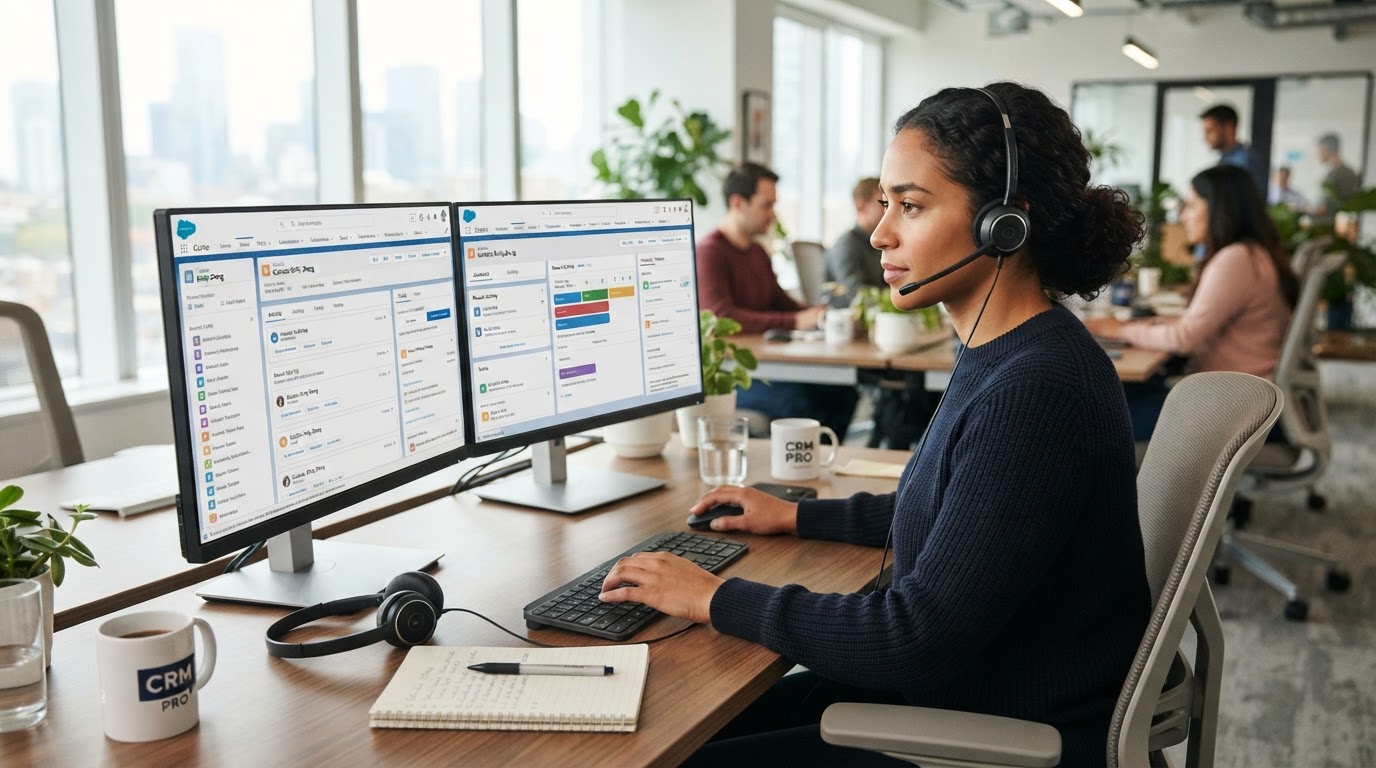
A GoHighLevel virtual assistant is a remote professional trained to operate and maintain a business's GoHighLevel account, including contacts, opportunities, pipelines, workflows, calendars, lead follow-up, CRM data, reporting, and other recurring platform tasks.
The best GoHighLevel VAs do more than enter data.
They help make sure the system you already pay for is actually being used. For example, a GHL virtual assistant might:
- keep opportunities in the correct pipeline stages
- update and clean contact records
- monitor workflow automations
- build or maintain lead-follow-up sequences
- manage calendars and appointments
- check missed leads and stale opportunities
- prepare CRM reports
- troubleshoot simple workflow problems
- test forms and automations
- help document processes
- maintain tags and custom fields
- organize client sub-accounts
- support AI-enabled workflows
HighLevel itself describes workflows as automated sequences triggered by events such as a form submission, appointment booking, or payment. Those workflows can then send communications, update contacts, assign tasks, manage opportunities, and support other repetitive processes.
A trained VA can become the person responsible for keeping those systems organized and operating consistently.
That can be especially valuable when the problem is no longer:
"How do I set up GoHighLevel?"
but:
"Who is going to run all of this every day?"
What Is a GoHighLevel Virtual Assistant?
A GoHighLevel virtual assistant — or GHL VA — is a virtual assistant with working knowledge of the HighLevel CRM and automation platform. Depending on their experience, they may work across:
- Contacts
- Opportunities
- Pipelines
- Workflows
- Conversations
- Calendars
- Forms
- Surveys
- Funnels
- Email
- SMS
- Tasks
- Reporting
- Automations
- AI tools
- Integrations
The role can range from basic CRM administration to fairly sophisticated automation support. That range matters. Someone who knows how to update a contact record is not automatically qualified to build a complex workflow. Likewise, someone who can build workflows may not necessarily understand sales operations, customer communication, or CRM hygiene.
So when hiring a GoHighLevel VA, the question should not simply be:
"Do you know GoHighLevel?"
A better question is:
"Which parts of GoHighLevel can you independently own?"
Why Businesses Hire GoHighLevel Virtual Assistants
GoHighLevel can centralize a large amount of business activity. That is also what makes it difficult to maintain. A company may have:
- hundreds or thousands of contacts
- several pipelines
- multiple calendars
- lead sources
- email and SMS sequences
- automated workflows
- forms and funnels
- opportunity stages
- customer conversations
- appointment reminders
- missed-call workflows
- old automations
- custom fields
- reporting requirements
Someone still needs to make sure those systems are being used correctly. Without ownership, common problems appear. A lead enters the CRM but never gets followed up. An opportunity remains in the wrong pipeline stage for three months. A salesperson finishes a call but does not update the record. A workflow breaks and nobody notices. Two automations send conflicting messages. Old contacts remain mixed with active prospects. Calendars become misconfigured. Reporting becomes unreliable because the CRM data is unreliable.
The software itself does not solve those operational problems. Someone needs to own them. That is where a capable GoHighLevel VA can become valuable.
1. CRM and Contact Management
One of the most basic — but important — responsibilities of a GHL virtual assistant is maintaining clean contact data. This can include:
- creating contacts
- updating contact information
- importing records
- checking duplicate records
- assigning contacts
- applying tags
- updating custom fields
- reviewing contact notes
- organizing lead sources
- ensuring records contain the correct information
This work may sound simple. But bad CRM data eventually affects everything built on top of it. If contacts have the wrong tags, missing fields, incorrect ownership, or inconsistent information, automations and reports can produce misleading results. A VA responsible for CRM hygiene helps prevent the database from becoming unusable.
2. Opportunity and Pipeline Management
HighLevel uses opportunities to represent potential sales or deals and organizes them through pipelines and stages. Its current documentation describes the relationship as:
Contact → Opportunity → Pipeline → Stage.
For example, a business might use stages such as:
New Lead → Contacted → Qualified → Appointment Booked → Proposal Sent → Won or → Lost
A GoHighLevel VA can help keep that pipeline accurate. Tasks may include:
- creating opportunities
- moving opportunities between stages
- assigning opportunity owners
- updating opportunity values
- checking stalled deals
- identifying opportunities with no recent activity
- marking won or lost opportunities
- adding notes
- maintaining opportunity custom fields
- producing pipeline reports
HighLevel currently supports both manual and automated opportunity creation and updates. Opportunities can be added manually, imported, or created through workflows. That means a VA should understand both the manual operating process and the automation behind it.
3. Lead Follow-Up
One of the most valuable uses of GoHighLevel is building consistent follow-up. Businesses frequently lose leads for a surprisingly simple reason: Nobody follows up again.
A GHL VA can help manage:
- first-response workflows
- email follow-up
- SMS follow-up
- missed-call responses
- appointment reminders
- no-show sequences
- long-term nurture
- reactivation campaigns
- stale-lead follow-up
- post-consultation follow-up
The key is not simply sending more messages. The VA should understand why the contact is receiving a message and what should happen next. For example:
New website inquiry → Create contact → Create opportunity → Send confirmation → Notify assigned salesperson → Wait → Check response → Follow up → Move opportunity when qualified → Stop nurture when appointment is booked
That last part is important. A good workflow should respond to what the lead actually does rather than blindly sending the same sequence to everyone. HighLevel workflows support triggers, filters, actions, IF/Else branches, connected workflows, and other logic for managing these kinds of customer journeys.
4. GoHighLevel Workflow Management
Workflows are one of the biggest reasons businesses use HighLevel. They're also one of the biggest reasons businesses eventually need someone dedicated to maintaining the system. A GHL virtual assistant may help create or maintain automations for:
- new-lead responses
- lead assignment
- appointment confirmations
- appointment reminders
- no-show recovery
- review requests
- customer onboarding
- abandoned forms
- old-lead reactivation
- customer check-ins
- pipeline updates
- internal notifications
- task creation
- email sequences
- SMS sequences
- opportunity creation
- opportunity updates
HighLevel defines a workflow as an automated sequence that starts from a trigger and performs subsequent actions. It specifically identifies lead nurturing, appointment scheduling, follow-up, onboarding, feedback collection, and CRM updates as examples of processes worth automating.
A Simple GoHighLevel Workflow Example
Imagine someone submits a consultation form.
Without automation:
- Someone checks the submission.
- Someone creates the contact.
- Someone adds the lead to the pipeline.
- Someone sends an email.
- Someone sends a text.
- Someone creates a reminder.
- Someone follows up later.
With a properly configured GHL workflow:
1Form submitted
2Create / update contact
3Create opportunity
4Assign pipeline and stage
5Send confirmation
6Notify team member
7Wait for response
8Follow up if necessary
9Update process according to lead behavior
HighLevel currently allows businesses to automate opportunity creation and updates directly through workflows. The VA's role becomes: build, monitor, test, improve, and handle exceptions rather than manually repeating every step.
5. Pipeline Automation
A skilled GHL VA should understand that the pipeline should reflect the real sales process.
Poor pipeline
Lead → Interested → Customer
That tells the team very little.
More operational pipeline
1New Inquiry
2First Contact Attempted
3Qualified
4Consultation Booked
5Consultation Completed
6Proposal Sent
7Follow-Up
8Won / Lost
Now automations can react to meaningful events. For example:
When opportunity enters Consultation Booked → stop lead-nurture campaign → send appointment reminders
When opportunity enters Proposal Sent → wait two days → create follow-up task
When opportunity enters Won → remove prospect workflows → begin client onboarding
A knowledgeable VA can help maintain those transitions and identify when records are not moving correctly.
6. Calendar and Appointment Management
GoHighLevel includes scheduling functionality that businesses can connect with external calendars. HighLevel currently supports connected, linked, and conflict calendars with services including Google Calendar and Microsoft calendar products so availability can stay synchronized and double-booking can be reduced.
A GHL VA can help manage:
- calendar configuration
- staff calendars
- booking links
- available hours
- appointment statuses
- reminders
- rescheduling
- cancellations
- no-shows
- calendar troubleshooting
- conflict-calendar settings
- appointment follow-up
This is particularly valuable for real estate companies, agencies, coaches, consultants, clinics, sales teams, contractors, and local service businesses because bookings often represent actual revenue opportunities.
7. Missed Appointment and No-Show Follow-Up
A lead booking an appointment does not mean they will attend. A VA can help operate workflows that:
- confirm the appointment
- send reminder emails
- send reminder SMS
- notify internal staff
- identify missed appointments
- trigger rescheduling messages
- move the opportunity to a no-show stage
- create a follow-up task
- restart an appropriate nurture sequence
That turns appointment management into a repeatable process instead of relying on someone remembering to follow up.
8. Database and Pipeline Cleanup
Many companies don't need another complicated automation first. They need their existing account cleaned. A GHL VA might review:
- duplicate contacts
- invalid phone numbers
- stale opportunities
- outdated pipeline stages
- unused tags
- inconsistent custom fields
- unassigned contacts
- failed workflows
- unfinished tasks
- dead leads
- contacts still receiving the wrong campaign
This type of cleanup is often underrated. A technically sophisticated CRM running on bad data is still a bad CRM.
9. Workflow Testing and Quality Assurance
Automation requires testing. A VA should not assume that because a workflow is switched on, it works correctly. Testing may include:
- submitting forms
- creating test contacts
- verifying tags
- checking opportunity creation
- testing emails
- testing SMS
- checking wait conditions
- testing IF/Else branches
- verifying calendar behavior
- checking task creation
- reviewing workflow history
- verifying stop conditions
For example, imagine this automation: New lead → Send SMS → Wait 15 minutes → Send email → Wait one day → Send SMS. But the lead books an appointment after five minutes. Should they still receive the remaining prospecting messages? Usually not. That's why a VA needs to understand workflow behavior, not simply how to drag actions into the workflow builder.
10. GoHighLevel AI Features
HighLevel has expanded considerably into AI.
As of 2026, HighLevel's official support documentation includes:
- Conversation AI
- Voice AI
- Workflow AI
- AI agents
- Agent Studio
- AI-assisted workflow creation
among other AI capabilities. HighLevel also now provides a Workflow AI Builder that can generate complete workflows from natural-language instructions and allow users to refine the workflow afterward. There is also an AI Agent workflow action designed to execute multi-step tasks based on plain-language instructions and available tools.
That changes the GHL VA role. The most valuable VA is increasingly not simply someone who knows where the buttons are. They need to understand:
what should happen
before deciding:
how to make HighLevel do it.
11. AI-Assisted Workflow Building
HighLevel's Workflow AI can now help users generate triggers, actions, and workflow structures from a description of the desired process. That does not eliminate the need for a trained person. Someone still needs to determine:
- whether the automation makes business sense
- what should trigger it
- what conditions matter
- what should stop it
- which fields are required
- what happens during exceptions
- what message the customer should receive
- whether another workflow already does the same thing
- how success will be measured
AI can accelerate implementation. It does not automatically understand your business operations.
12. Reporting and CRM Audits
A GHL VA can also help turn the CRM into something management can actually use. Weekly or monthly reviews might include:
- new leads
- contact rates
- appointments booked
- appointment show rates
- opportunities created
- pipeline movement
- stalled opportunities
- won opportunities
- lost opportunities
- lead-source performance
- overdue tasks
- automation errors
Instead of the business owner opening GoHighLevel and trying to figure out what happened, the VA can organize the information into an operational summary.
13. Client Sub-Account Management
For agencies using GoHighLevel across multiple clients, the workload becomes more complicated. A GHL VA may help:
- organize client sub-accounts
- deploy approved snapshots
- check client workflows
- update calendars
- upload contacts
- maintain pipelines
- update forms
- manage requested changes
- test client automations
- document client configurations
- track outstanding requests
This can significantly reduce the operational burden on an agency owner or technical lead.
What Should a GoHighLevel VA Know?
Not every VA needs to know every feature. But a strong general-purpose GHL VA should understand the core system.
Contacts
They should know how contacts are created, updated, tagged, assigned, imported, and organized.
Opportunities
They should understand the difference between a contact and an opportunity. HighLevel describes an opportunity as a potential sale associated with a contact and positioned within a pipeline.
Pipelines
They should understand how pipeline stages represent the actual sales process.
Workflows
They should understand Triggers → Filters → Conditions → Actions → Waits → Outcomes rather than simply knowing how to add an action.
Calendars
They should understand bookings, availability, reminders, cancellations, and connected calendars.
Communications
They should understand how email, SMS, conversations, and workflow messages interact.
Custom Fields
They should understand the difference between standard data, custom fields, and operational information used by workflows.
Testing
They should know how to test before publishing important automation.
A GoHighLevel VA Should Understand Systems, Not Just Features
This is probably the most important hiring criterion.
Imagine you ask:
"Build an automation for leads who don't show up to their consultation."
A weak candidate starts adding workflow actions immediately.
A stronger candidate asks:
- How is a no-show identified?
- Which appointment calendar is involved?
- Should the opportunity stage change?
- How soon should follow-up begin?
- Should the assigned salesperson be notified?
- How many follow-up attempts should happen?
- Should the automation stop if they rebook?
- What should happen if they reply?
- Do we need to create an internal task?
That person is thinking about the business process rather than simply the software. That is what you want.
GoHighLevel VA vs General Virtual Assistant
A general virtual assistant can often handle email, scheduling, spreadsheets, data entry, research, social media, and administrative work. A GoHighLevel VA adds specialized CRM and automation capability.
| Capability | General VA | GoHighLevel VA |
|---|
| Inbox management | ✓ | ✓ |
| Calendar administration | ✓ | ✓ |
| General data entry | ✓ | ✓ |
| CRM contact management | Sometimes | ✓ |
| Opportunity management | Limited | ✓ |
| Pipeline cleanup | Limited | ✓ |
| Workflow monitoring | Rarely | ✓ |
| Workflow building | Rarely | Depending on skill |
| GHL calendar setup | Rarely | ✓ |
| Automation testing | Rarely | ✓ |
| GHL reporting | Limited | ✓ |
| AI workflow support | Rarely | Depending on skill |
If GoHighLevel is central to your sales or operations process, platform familiarity can substantially reduce onboarding time.
GoHighLevel VA vs GoHighLevel Specialist
These roles are sometimes confused. They shouldn't necessarily be.
GoHighLevel VA
Best suited to:
- recurring CRM management
- daily operations
- updating records
- maintaining pipelines
- monitoring existing workflows
- building straightforward automations
- lead follow-up
- reporting
- client-account maintenance
GoHighLevel specialist
May be better suited to:
- complex CRM architecture
- advanced workflow design
- complicated integrations
- migrations
- custom APIs
- advanced SaaS setup
- deeply technical troubleshooting
- large system rebuilds
Developer
May be required for:
- custom software
- advanced API integrations
- external applications
- highly customized technical architecture
HighLevel maintains a current API platform covering areas such as contacts, messaging, workflows, calendars, payments, and webhooks. Its legacy V1 API reached end of support on December 31, 2025, with current development directed toward newer APIs and private integrations. That is a good example of a situation where a general VA may not be the correct resource.
GoHighLevel VA vs Automation Agency
Another common decision is:
Should I hire a VA or hire an automation agency?
It depends on the problem.
Choose a VA when:
Your system largely exists. You need someone to:
- operate it
- maintain it
- update it
- monitor it
- follow up
- keep data clean
- build straightforward workflows
- make continual small improvements
Consider an automation specialist or agency when:
You need:
- system architecture from scratch
- complex integrations
- major account restructuring
- advanced technical implementation
- custom development
- strategic automation design across many systems
However, the line is not absolute. A technically strong automation-trained VA can sometimes handle significantly more than a typical administrative assistant.
What Should You Delegate to a GoHighLevel VA First?
Do not start by handing over your entire account. Start with a contained operational area. A good first project might be:
Pipeline Cleanup
Ask the VA to audit:
- opportunities
- stages
- stale leads
- ownership
- missing data
- lost leads
Then establish a repeatable weekly process.
Or start with:
Lead Follow-Up
Define:
- where leads enter
- expected response time
- messaging
- pipeline movement
- follow-up frequency
- stop conditions
- escalation rules
Then let the VA own that workflow.
Or:
Appointment Management
Delegate:
- confirmations
- reminders
- rescheduling
- no-show follow-up
- pipeline updates
A good first responsibility has a clear input, a clear process, and a measurable outcome.
How to Hire a GoHighLevel Virtual Assistant
Do not base your hiring decision on a candidate saying:
"Yes, I know GHL."
Test it.
1. Ask Them to Explain Opportunities and Pipelines
A capable VA should be able to explain the relationship between contact → opportunity → pipeline → stage without struggling.
2. Ask Them to Design a Simple Workflow
Give them a scenario:
A lead completes our Facebook lead form. We want the lead added to our sales pipeline, notified immediately, followed up by SMS and email, and removed from the nurture sequence when they book.
Ask them to explain the logic. You're testing thinking — not memorization.
3. Ask About Workflow Stop Conditions
This quickly separates beginners from experienced users. Ask:
"What happens if the lead books after receiving the first message?"
The candidate should think about how the workflow adapts.
4. Give Them a Broken Workflow
For example:
Leads submit the form successfully, but no opportunities are appearing in our pipeline.
How would they troubleshoot it? HighLevel's own documentation suggests checking whether the workflow is published, whether contacts satisfy the trigger criteria, whether Create/Update Opportunity is configured correctly, and whether the appropriate pipeline and stage are selected. A qualified VA should think systematically.
5. Ask How They Test Automations
You do not want someone testing a brand-new workflow on hundreds of real contacts. Listen for concepts such as:
- test contacts
- controlled scenarios
- workflow history
- trigger verification
- field validation
- branching tests
- duplicate prevention
- stop conditions
6. Ask About CRM Hygiene
Ask:
"How would you identify opportunities that are stuck?"
A good VA should have a process — not merely tell you they would "check the CRM."
7. Test Documentation
Ask the candidate to document one workflow they built. A scalable system should not exist exclusively inside one person's head.
Red Flags When Hiring a GHL VA
Be cautious if someone:
- claims to know every feature but cannot explain basic workflow logic
- has only watched tutorials but has no practical examples
- builds automations without discussing business logic
- never talks about testing
- cannot explain opportunity stages
- cannot distinguish contacts from opportunities
- creates workflows with no stop conditions
- immediately recommends automating everything
- cannot explain how they protect customer data
- cannot document what they build
The goal is not to find someone who knows every button. The goal is to find someone who can operate the system responsibly.
How Much Does a GoHighLevel Virtual Assistant Cost?
There is no single standard price. Cost depends on:
- country
- experience
- automation skill
- level of independence
- number of working hours
- whether the person is a freelancer or agency-provided VA
- whether management is included
- whether technical implementation is expected
Current specialist providers illustrate how wide the range can be. For example, one current 2026 GHL-specific hiring provider advertises dedicated part-time support around $600/month and full-time support around $997/month, while also referencing specialized hourly support beginning around $20/hour. Those are provider-specific rates rather than a universal market price.
That is why price alone is a poor comparison. A $5/hour VA who requires constant technical direction may cost more operationally than a more capable person who independently maintains the system.
The better questions are:
- What can the VA actually own?
- How much training will they require?
- Can they troubleshoot?
- Can they build automations?
- Do they understand sales processes?
- Who manages their performance?
- What happens if they are not the right fit?
When Does a GoHighLevel VA Become Worth Hiring?
Consider hiring one when:
Your CRM is becoming inaccurate
Pipeline stages no longer reflect reality.
Leads are falling through the cracks
Your software exists, but follow-up remains inconsistent.
You are personally maintaining workflows
The founder or agency owner is still fixing tags, opportunities, calendars, and automation.
Your salespeople do not update the CRM
Someone needs to maintain operational discipline.
You have several automations but nobody owns them
A workflow breaking should not take three weeks to discover.
You run multiple client accounts
Maintaining sub-accounts is becoming an operational role of its own.
You want to use more GHL functionality
You pay for GoHighLevel but use only a fraction of it.
When You Probably Do NOT Need a GoHighLevel VA Yet
You may not need one if:
- you have almost no lead volume
- you do not use GoHighLevel consistently
- your sales process is still completely undefined
- you expect the VA to invent your entire business strategy
- your implementation requires custom software engineering
- there is not enough recurring work to justify ongoing support
Sometimes a one-time implementation project makes more sense. Once the system exists, a VA can maintain it.
A Better Way to Think About the Role
Don't hire a GoHighLevel VA simply to:
"work inside GHL."
Give them an outcome. For example:
Weak role
"Manage our CRM."
Strong role
"Make sure every new lead enters the correct pipeline, receives timely follow-up, gets assigned correctly, and never sits without a next action."
Or:
Weak role
"Manage automations."
Strong role
"Maintain our appointment workflow so every booking receives confirmation, reminders, and no-show follow-up while stopping inappropriate messages once the prospect responds."
The second versions establish ownership. That is how a VA becomes operationally useful.
GoHighLevel Is Becoming More Automated — Does That Eliminate the VA?
Not necessarily. HighLevel itself is becoming significantly more capable.
For example, its current Workflow AI Builder can generate end-to-end workflows from plain-language instructions. Its AI Agent workflow action can also make decisions and perform multi-step actions using tools provided to the agent. That reduces some manual configuration.
But it does not answer business questions such as:
- Which leads should enter this workflow?
- When should it stop?
- What happens when a customer replies?
- Should an existing client receive this message?
- Who owns the opportunity?
- What counts as a qualified lead?
- Which pipeline stage reflects the real-world outcome?
- What should happen when something goes wrong?
As the software becomes more powerful, the human operator's role moves increasingly toward: designing, supervising, testing, and improving the system.
The Best Model: VA + CRM + Automation + AI
The most effective use of a GoHighLevel VA is not to turn a person into a human data-entry machine. It is to divide responsibilities intelligently.
GoHighLevel handles:
- workflows
- recurring actions
- CRM records
- messaging automation
- reminders
- triggers
- pipeline automation
AI can assist with:
- drafting
- summarization
- classification
- analysis
- workflow generation
- repetitive content work
The virtual assistant handles:
- oversight
- quality control
- exceptions
- customer communication
- CRM accuracy
- process improvement
- reporting
- workflow maintenance
That combination is far more powerful than having someone manually click through GoHighLevel all day.
Frequently Asked Questions About GoHighLevel Virtual Assistants
What is a GoHighLevel virtual assistant?
A GoHighLevel virtual assistant is a remote professional trained to operate the HighLevel CRM. Depending on their skill level, they may manage contacts, opportunities, pipelines, workflows, calendars, follow-up, CRM data, reporting, automations, and client sub-accounts.
What can a GoHighLevel VA do?
Typical tasks include CRM cleanup, opportunity management, pipeline maintenance, calendar administration, lead follow-up, workflow monitoring, basic automation building, reporting, and testing.
Can a virtual assistant build GoHighLevel workflows?
Yes, if they have workflow training and experience. Basic and intermediate automations are commonly suitable for a skilled GHL VA. Complex integrations, APIs, or architecture may require a specialist or developer.
Can a GHL VA manage pipelines?
Yes. HighLevel pipelines organize opportunities through stages representing a business's sales or service process. A VA can update opportunities, monitor stale deals, maintain stages, and help ensure the pipeline reflects real activity.
Can a GoHighLevel VA manage lead follow-up?
Yes. A VA can manage or maintain follow-up workflows using email, SMS, tasks, pipeline movement, appointment reminders, and other supported HighLevel functions.
What's the difference between a GHL VA and a GoHighLevel expert?
A VA usually handles ongoing operations and recurring platform work. A specialist may be better suited to advanced system architecture, complex integrations, migrations, advanced SaaS configurations, or custom development.
Should I hire a general VA or a GoHighLevel VA?
If GoHighLevel plays an important role in your sales, marketing, or customer operations, hiring someone already familiar with the platform can reduce training requirements and allow them to take ownership faster.
Can AI replace a GoHighLevel VA?
AI can automate or accelerate many individual tasks, and HighLevel now includes increasingly capable workflow and AI-agent functionality. Human oversight remains useful for business logic, exceptions, customer communication, quality assurance, and system management.
Hire a GoHighLevel Virtual Assistant Without Managing Everything Yourself
GoHighLevel can automate a large part of your sales and customer journey. But someone still needs to make sure the system is:
- clean
- accurate
- tested
- monitored
- updated
- followed through
Otherwise, you can end up with powerful CRM software and the same operational problems you had before.
PropulseVA provides AI-trained Filipino virtual assistants starting at $700/month, and GoHighLevel is one of the platforms included in its current VA technology stack. Its managed VA offering also includes Operations Manager oversight, CRM and automation support, lead capture and nurture workflows, and ongoing management.
A PropulseVA VA can be matched to responsibilities such as:
- GoHighLevel CRM management
- pipeline and opportunity management
- workflow automation
- lead follow-up
- calendar management
- CRM cleanup
- reporting
- marketing operations
- AI-assisted processes
- recurring business administration
The goal isn't simply to hire someone who knows GoHighLevel. It's to give someone ownership of the processes that GoHighLevel is supposed to run.
Book a free PropulseVA audit at PropulseVA.com.
We'll identify what you're still doing manually, what GoHighLevel can automate, and what a trained VA can take off your plate.