    Back to all articlesOnboarding & Management
    • 10 min read•870 reads

    Best Time Tracking Software for Virtual Assistants: What to Use and What to Avoid

    A time tracking tool comparison — Hubstaff, Time Doctor, Clockify, Toggl Track, and Harvest compared on features, pricing, and privacy, plus the VISIBILITY WITHOUT MICROMANAGEMENT principle and when you may not need time tracking.

    Quick Answer

    A time tracking tool comparison — Hubstaff, Time Doctor, Clockify, Toggl Track, and Harvest compared on features, pricing, and privacy, plus the VISIBILITY WITHOUT MICROMANAGEMENT principle and when you may not need time tracking.

    Key Takeaways

    • It depends on your need.
    • Track time when you need billing accuracy, capacity planning, or early-trial visibility.
    • No.

    What Time Tracking Software for Virtual Assistants Is

    It depends on your need.

    Continue Reading

    AI Automation Engineer, PropulseVA

    Marjohn Robillo

    Foundational Revenue Operations & AI Automation Partner (since 2021)

    Marjohn Robillo is a foundational partner and independent revenue operations consultant for PropulseVA. Collaborating with PropulseVA since 2021, he architects enterprise-grade AI automation systems, multi-channel CRM pipelines, and autonomous workflow engines for service businesses, agencies, and franchises across North America, Australia, the UK, and the Philippines. Marjohn is a highly accomplished freelancer and RevOps engineer who has architected over 300 live conversion systems globally.

    • Licensed Financial Advisor in Philippines Insurance Commission
    • Licensed Professional Teacher (LPT)
    • Former College Instructor
    • MPA Graduate & Certified CRM Systems Architect
    • Former CO1 · Bureau of Corrections PH
    Best Time Tracking Software for Virtual Assistants: What to Use and What to Avoid

    Executive Summary

    The best time tracking software for a virtual assistant is the one that provides operational clarity, billing accuracy, or capacity planning without becoming constant surveillance. Tools like Hubstaff, Time Doctor, Clockify, Toggl Track, and Harvest each fit different needs. The VISIBILITY WITHOUT MICROMANAGEMENT principle means time tracking should serve a defined purpose — and for outcome-based roles with mature performance systems, you may not need it at all. This guide compares features, pricing, privacy controls, and best-fit use cases.

    Do You Need Time Tracking for a Virtual Assistant?

    Time tracking makes sense when you need billing accuracy for hourly work, capacity planning across multiple VAs, or visibility during an early trial period. It is less necessary for outcome-based roles where performance is measured by results rather than hours.

    For the management philosophy, see our VA management guide and the manage without micromanaging article.

    The VISIBILITY WITHOUT MICROMANAGEMENT Principle

    The purpose of time tracking should be operational clarity, billing accuracy, or capacity planning — not constant surveillance. Excessive screenshot and activity monitoring can erode trust and signal that outcomes are not being measured. Favor measurable outputs over surveillance inputs.

    Time Tracking Tools Compared

    ToolStrengthsBest Fit
    HubstaffScreenshots, activity levels, payrollHourly teams needing billing + monitoring
    Time DoctorDetailed time + productivity reportsLarger remote teams
    ClockifyFree tier, simple timesheetsSmall teams on a budget
    Toggl TrackClean UX, project trackingProject-based work
    HarvestInvoicing + expense integrationAgencies billing clients

    Pricing and features change — verify current details on each tool's official site before committing.

    What to Compare

    • Time tracking and timesheet format
    • Screenshots and activity-level monitoring (and privacy controls)
    • Reporting and project tracking
    • Payroll and invoice integrations
    • Privacy controls for the worker
    • Ease of use and onboarding
    • Pricing model (per user, free tier)

    When You May Not Need Time Tracking

    • Outcome-based roles where results matter more than hours.
    • Well-defined full-time responsibilities with clear deliverables.
    • A mature performance system with KPIs and daily reporting.

    For capacity planning, see our VA hours guide and the VA KPIs article.

    What to Avoid

    • Defaulting to screenshots when outcomes can be measured directly.
    • Treating activity levels as a proxy for productivity.
    • Using time tracking as a substitute for clear expectations and SOPs.
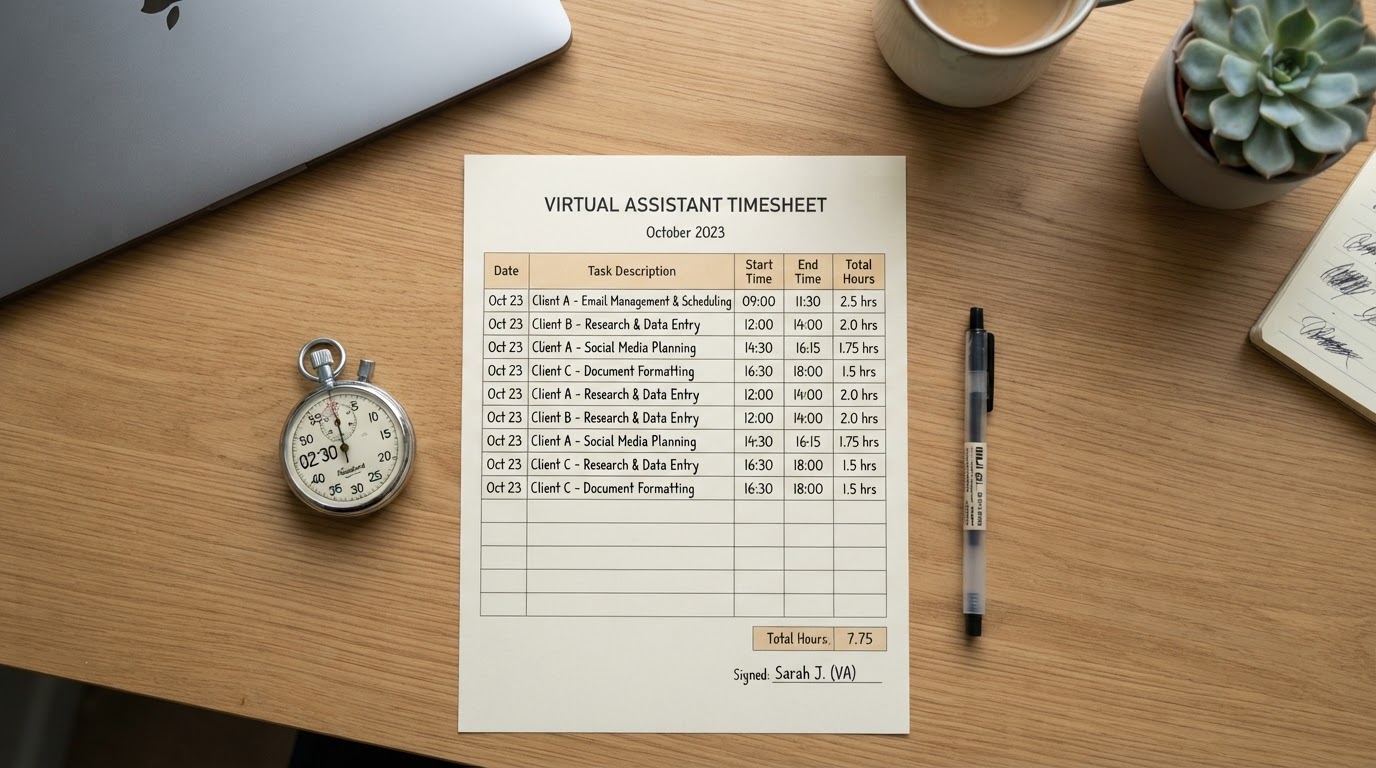
    Managed VA Support With Built-In Visibility

    If you want a VA backed by management, reporting, and replacement continuity, explore PropulseVA's managed virtual assistant services.

    Frequently Asked Questions

    What is the best time tracking software for a virtual assistant?+

    It depends on your need. Hubstaff suits hourly teams needing billing and monitoring. Clockify fits small teams on a budget. Toggl Track suits project-based work. Harvest fits agencies billing clients. Choose based on features, pricing, and privacy controls — not screenshots alone.

    Should I track my virtual assistant's time?+

    Track time when you need billing accuracy, capacity planning, or early-trial visibility. For outcome-based roles with mature performance systems, you may not need time tracking at all. Favor measurable outputs over surveillance.

    Is screenshot monitoring necessary for a VA?+

    No. Screenshots can erode trust and signal that outcomes are not being measured. Use them only for specific hourly billing needs, and prefer KPIs and daily reporting for ongoing visibility.

    Ready to hire your AI-trained VA?

    Get matched with top 1% Philippine talent, fully vetted and equipped.

    Book a Free Audit