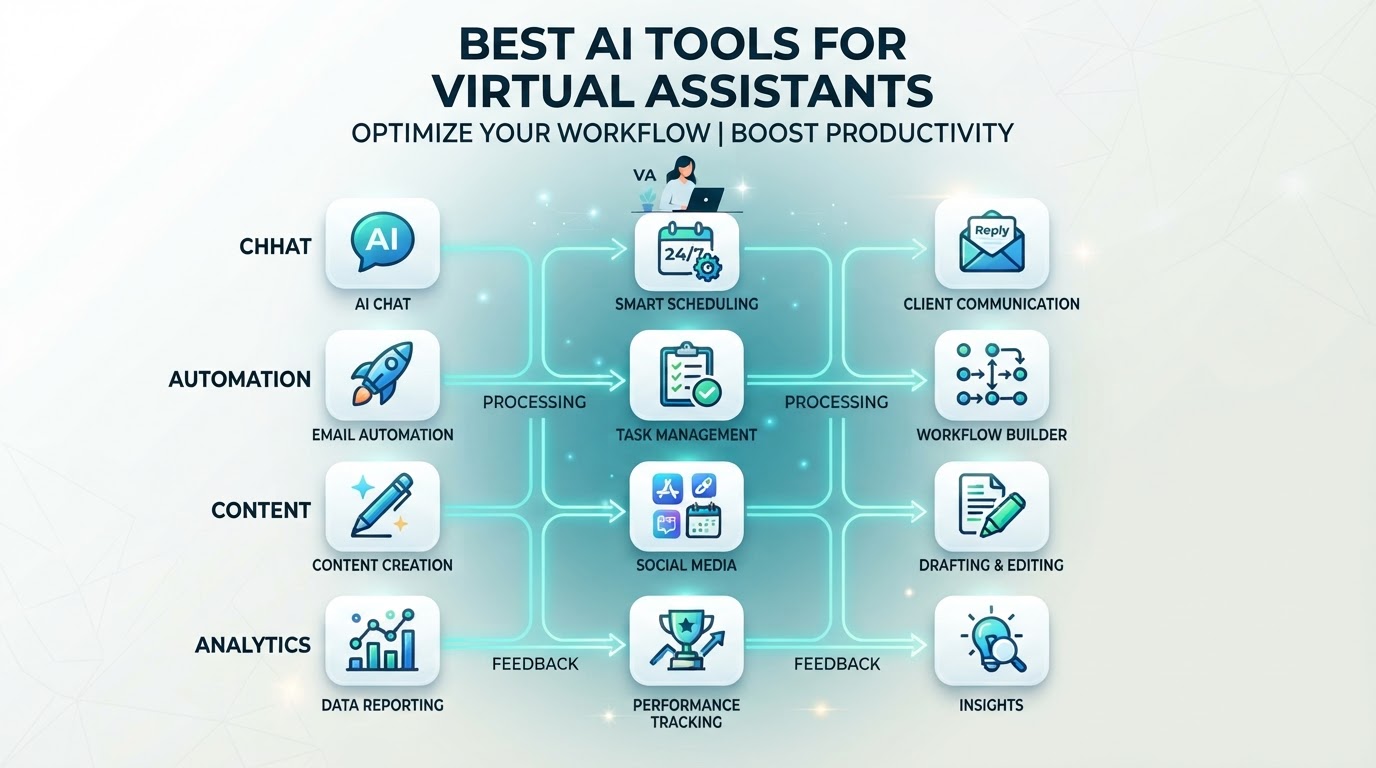
The best AI tools for virtual assistants are the ones that actually remove a real step from the VA's workflow — not the ones that add complexity without saving time. An AI-trained VA doesn't need every tool on the market; they need a focused stack that accelerates drafting, summarizing, research, data processing, and workflow automation while the human reviews every output.
The goal is not to replace the VA with AI. It is to remove the blank-page, copy-paste, and repetitive-processing stages that consume the most time, so the VA can focus on judgment, communication, quality control, and exceptions.
This guide covers the AI tools that actually improve VA output, what to use, what to skip, and how to train a VA on them. For the broader model, see our AI-augmented virtual assistant guide.
The Core AI Tool Stack for VAs
A practical AI-trained VA stack includes tools across several categories. Not every VA needs every tool — the right stack depends on the role.
1. LLMs (ChatGPT, Claude, Gemini)
The foundation. An LLM is used for drafting emails, summaries, content, research, and customer replies. The VA generates a first draft, then reviews and edits for accuracy, tone, and brand voice before sending.
What it improves: drafting speed, research speed, summarization speed.
What it doesn't replace: judgment, fact-checking, brand voice consistency, and the decision of whether to send at all.
2. CRM Automation
CRM platforms with built-in automation (workflows, triggers, sequences) allow the VA to set up lead follow-up, reminders, pipeline updates, and notifications that run automatically — reducing manual CRM work.
What it improves: follow-up consistency, CRM hygiene, pipeline accuracy.
What it doesn't replace: the decision of which leads need personal attention and which exceptions require human intervention.
3. Workflow Automation (Zapier, Make, n8n)
These tools connect systems so data moves without manual copy-paste — form submissions create CRM contacts, calendar events trigger reminders, support tickets update dashboards.
What it improves: eliminates manual data transfer, reduces errors, speeds up multi-step processes.
What it doesn't replace: the design of the workflow itself and the monitoring of whether it's working correctly.
4. AI Scheduling
AI-powered scheduling tools (Calendly, Cal.com, or CRM-integrated calendars) handle availability display, booking, confirmations, and reminders automatically — reducing the back-and-forth of manual scheduling.
What it improves: booking speed, reminder consistency, no-show reduction.
What it doesn't replace: the judgment of when a meeting should be prioritized or rescheduled for strategic reasons.
5. AI Transcription & Meeting Tools
Tools like Otter, Fireflies, or built-in meeting transcription capture and summarize meetings — producing notes, action items, and follow-up tasks that the VA can organize and distribute.
What it improves: meeting documentation speed, action item capture.
What it doesn't replace: the judgment of which action items matter most and who should own them.
6. AI Content & Research Tools
Specialized tools for content generation, SEO research, competitor analysis, and social media scheduling — these help a VA produce content drafts, captions, and research summaries faster.
What it improves: content production speed, research depth.
What it doesn't replace: brand voice, factual accuracy, and the editorial judgment of what's worth publishing.
7. AI Analytics & Reporting
Tools that process data and generate commentary — summarizing CRM metrics, campaign performance, or operational data into readable reports with AI-drafted insights.
What it improves: reporting speed, data summarization.
What it doesn't replace: the interpretation of what the data means for business decisions.
What AI Tools Should a VA Skip?
Not every AI tool is worth adopting. A VA should skip tools that:
- Don't integrate with your systems — if data can't flow, the tool creates manual work
- Produce output that takes longer to review than to create manually — the tool isn't saving time
- Solve problems you don't have — adopting tools speculatively adds complexity
- Add complexity without removing a real step — if the workflow isn't simpler, the tool isn't helping
The best stack is the one a VA uses daily, not the one with the most tools.
How to Train a VA on AI Tools
Giving a VA access to AI tools without training produces unreviewed, unreliable output. A structured approach:
- Start with one tool: don't introduce the entire stack at once. Begin with the LLM (ChatGPT) and master it before adding others.
- Define specific use cases: "Use ChatGPT to draft email replies to common customer questions, then review and edit before sending." Not "Use AI for everything."
- Create reusable prompt templates: standardize prompts for common tasks so output is consistent and predictable.
- Establish a review process: every AI output is reviewed by the VA before it reaches the customer or the system. No exceptions.
- Test with real tasks: have the VA use the tool on actual work, then review the output together and refine.
- Iterate: update prompts, use cases, and review processes based on what works and what doesn't.
Limitations of AI Tools for VAs
AI tools have well-documented limitations that the VA must mitigate:
- Hallucinations: AI can produce confident but factually wrong information. The VA verifies facts before sending.
- Generic writing: AI output can be bland and brand-inconsistent. The VA edits for voice and specificity.
- Outdated information: AI may rely on outdated data. The VA verifies current facts, especially for pricing, product specs, or policy.
- Security risks: AI tools with system access need governance — least-privilege access, monitoring, and human approval for high-impact actions.
- Over-automation: AI can automate judgment-heavy tasks that should remain human. The VA knows what to automate and what to own.
The Automate / Assist / Own Framework for AI Tools
Map AI tools to the three-layer framework:
- Automate: CRM automation, workflow tools, scheduling — predictable, rules-based tasks
- Assist: LLMs, content tools, research tools, analytics — AI accelerates, human reviews
- Own: the VA's judgment, communication, quality control, and exception handling — not automated
Can AI Tools Replace a Virtual Assistant?
No. AI tools augment a VA by removing repetitive steps, but the human still owns judgment, communication, quality control, and the final outcome. AI makes the VA more valuable, not redundant. The strongest model is an AI-trained human VA who uses tools to work faster while remaining responsible for the result.
For a deeper comparison, see our AI agent vs human virtual assistant guide.
Hire an AI-Trained VA with PropulseVA
PropulseVA's VAs are trained to use AI tools — including ChatGPT, CRM automation, Zapier, and workflow builders — to work faster while remaining responsible for judgment, communication, quality control, and the final outcome.
Its managed offering starts at $700/month and includes an AI-trained VA plus Operations Manager oversight, CRM and automation support, US-time-zone overlap, and replacement coverage.
Rather than assembling an AI tool stack yourself and training a VA on it, start with: "What recurring work should my VA accelerate with AI, and what level of managed support makes sense?"
Book a free discovery call at PropulseVA.com. We'll help you identify the right AI tool stack for your VA's role and determine the level of support that fits your business.